Account & billing
Plans, credits, seats, invoices, and managing your workspace.
You are billed monthly at the price on the pricing page, in your currency, to the card on file. There is no setup fee and no other charge. Your plan includes a monthly credit allowance that covers Monty's work — writing emails, answering replies, sending follow-ups. You can see exactly where credits went on the Credits page (in Settings, next to Billing), itemized by activity, and invoices are issued automatically each cycle. No annual lock-in: you cancel any time.
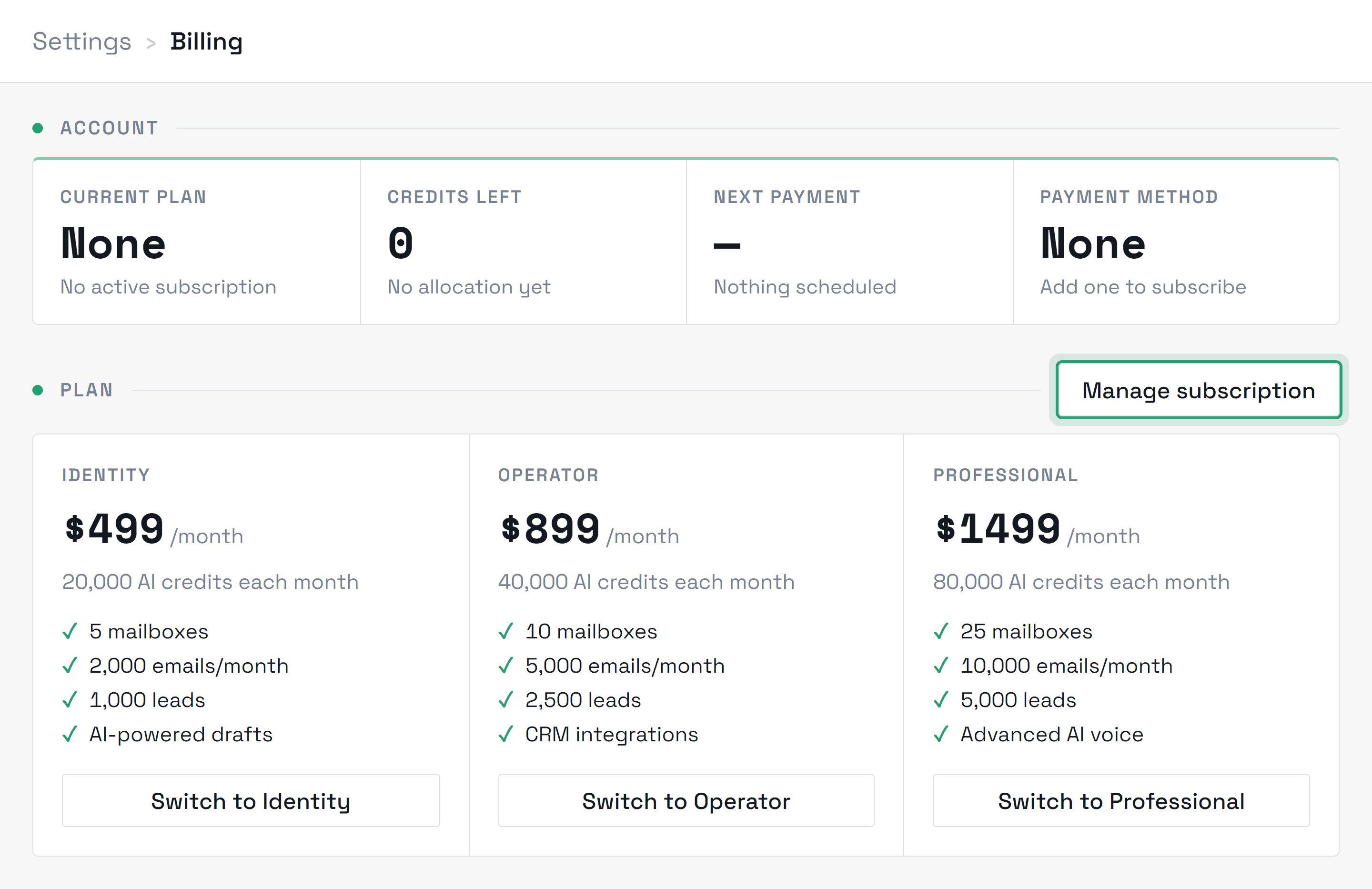
Credits are the unit of Monty's work: a draft costs 1 credit, a reply answered costs 3, a send on Autopilot costs 1, and planning a campaign costs 2. Qualifying and scoring a lead costs nothing, and teammates are included in your plan rather than billed per seat. Reviewing, editing, and approving drafts is free too — you're never charged to check Monty's work (asking Monty to rewrite a draft for you does use credits). The Credits page shows a running itemized breakdown so month-end is never a surprise.
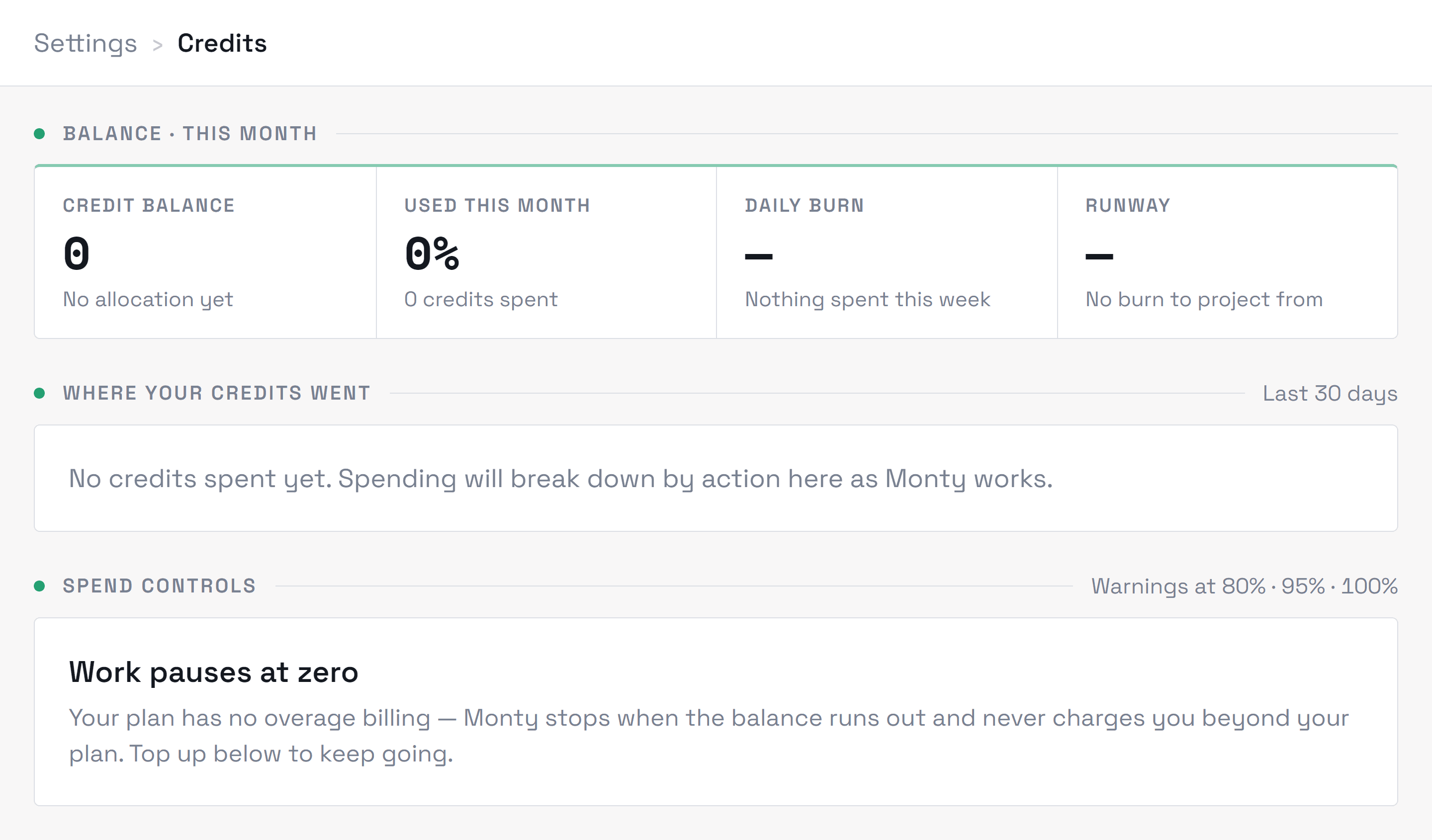
Monty pauses billable AI work and tells you — a banner in your dashboard, not a silent overage charge you didn't agree to. You can top up from the Credits page, upgrade your plan, or wait for the monthly reset; incoming leads keep flowing in during the pause so nothing is lost. Once you top up or your allowance resets, Monty starts drafting again for new incoming leads. Overage billing only ever happens if you've explicitly opted in.
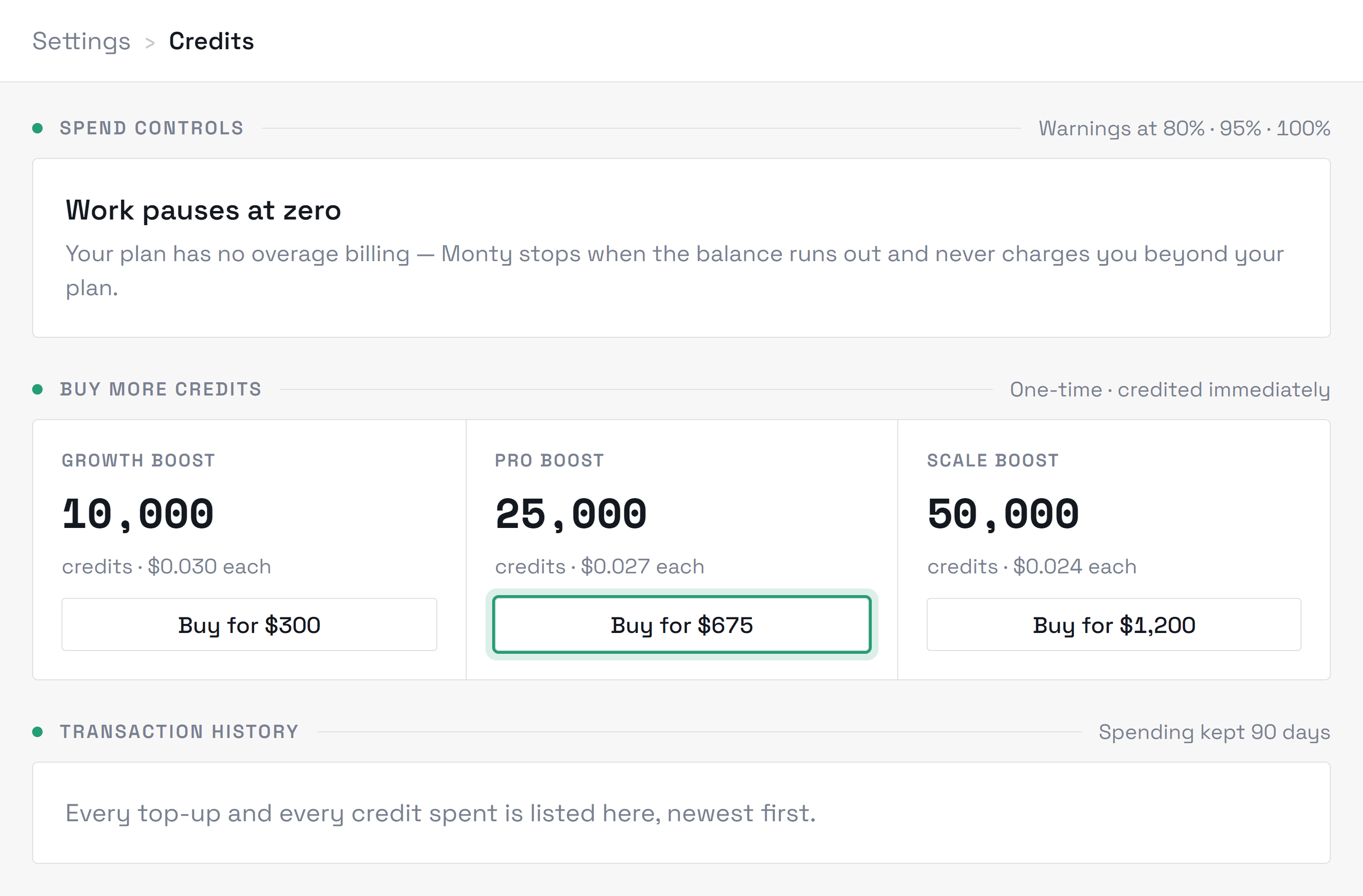
Spend warnings fire at 80%, 95%, and 100% of your allowance — if you're seeing them often, a plan upgrade is usually cheaper per credit than repeated top-ups.
The plan is one user per workspace. You can connect as many of your own mailboxes as you need, but one person signs in, approves and sends. If you need more than one person signed in, email hello@montyai.co.
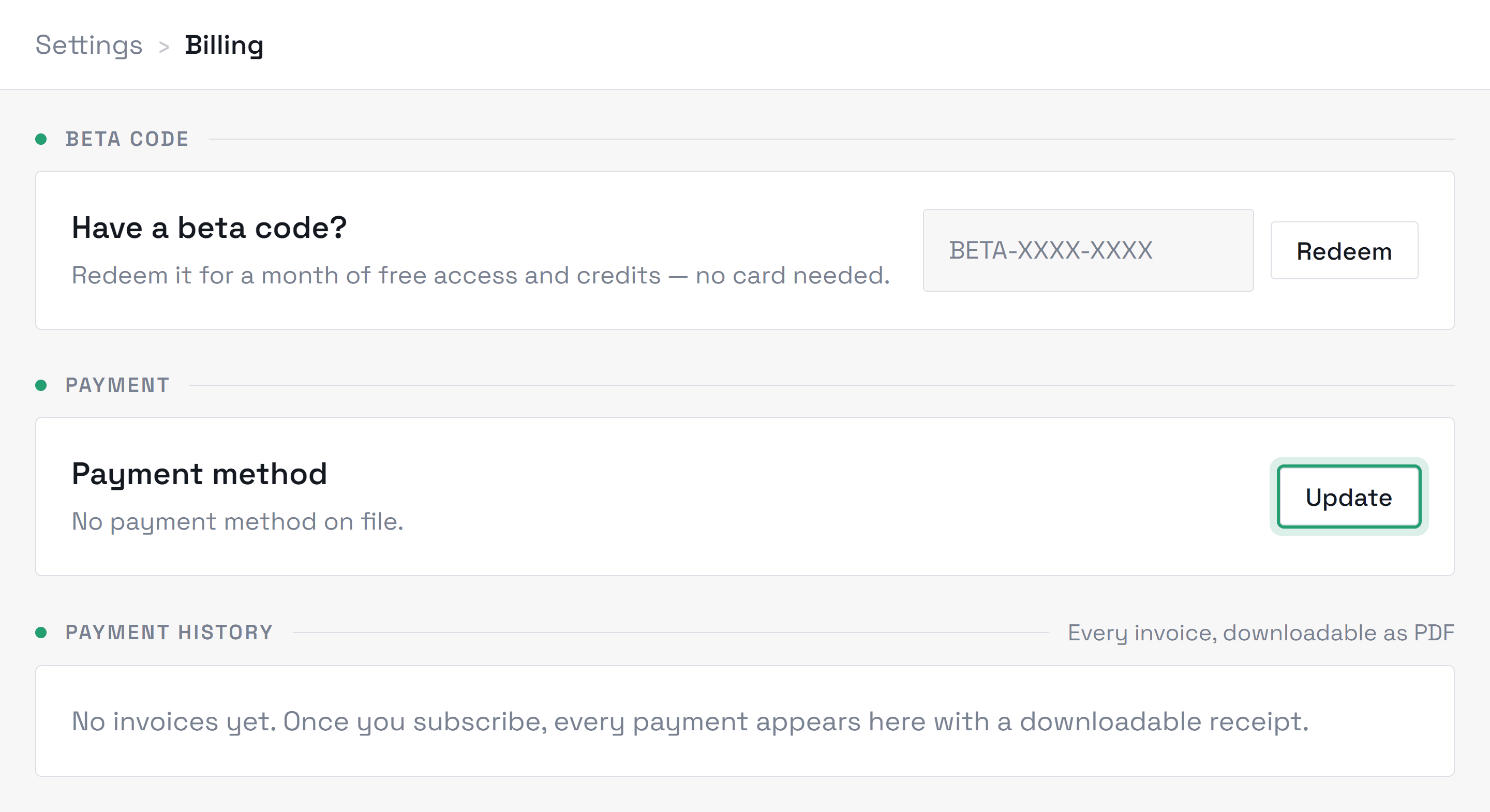
Plan changes are self-serve from the Billing page — they apply immediately and Stripe prorates the difference in either direction. To cancel, open Billing → Manage subscription (the secure Stripe billing portal) or email hello@montyai.co; cancelling stops the next charge, and your workspace stays readable so you can still export anything you need from Settings → Account. No calls, no retention flows — though if something drove you to cancel, we'd honestly like to know. If you are still inside your first 30 days, cancelling can come with your money back instead — see the money-back guarantee below.
If it isn't working for you, cancel within 30 days of your first payment and we'll refund that payment in full, however much of it you used. Credit top-ups aren't included. We'll ask what went wrong — you don't have to answer, and it doesn't change the refund.
- 1Cancel inside the 30-day window. Billing shows exactly when it closes, to the minute, so you never have to work it out yourself.
- 2Open Billing → Cancel, or email hello@montyai.co and we'll do it for you. There's no retention flow and nobody will try to talk you out of it.
- 3The refund goes back to the card that paid, through Stripe. Your bank decides how long it takes to land — usually a few working days.
The window starts when your first payment settles, not at signup, and it doesn't restart when you renew. It covers that first subscription payment only — credit top-ups bought separately aren't included.
Billing → Payment history lists every invoice with a downloadable PDF. Need a different billing email, company name, or VAT number on future invoices? Update those details through the secure Stripe billing portal (Billing → Manage subscription) and they apply from the next invoice; email hello@montyai.co if you need a past invoice re-issued.
Didn’t find what you needed?
Contact supportRelated topics
All topicsGetting started
Connect your inbox, set up your voice profile, and send your first drafts.
Integrations
Mailbox connections, permissions, and sign-in issues.
Using Monty
Assisted, Autopilot, follow-ups, and day-to-day workflow.
Security & privacy
How we protect your data, who can see it, and your export and deletion controls.
Troubleshooting
Sign-in, sync issues, drafts, and getting unstuck.