Getting started
Connect your inbox, set up your voice profile, and send your first drafts.
Setup takes about ten minutes end to end, and your workspace starts in Assisted — nothing sends until you approve it.
- 1Sign in and answer Monty's short setup conversation: what you sell and to whom, what makes a lead worth a meeting, and anything Monty should never say.
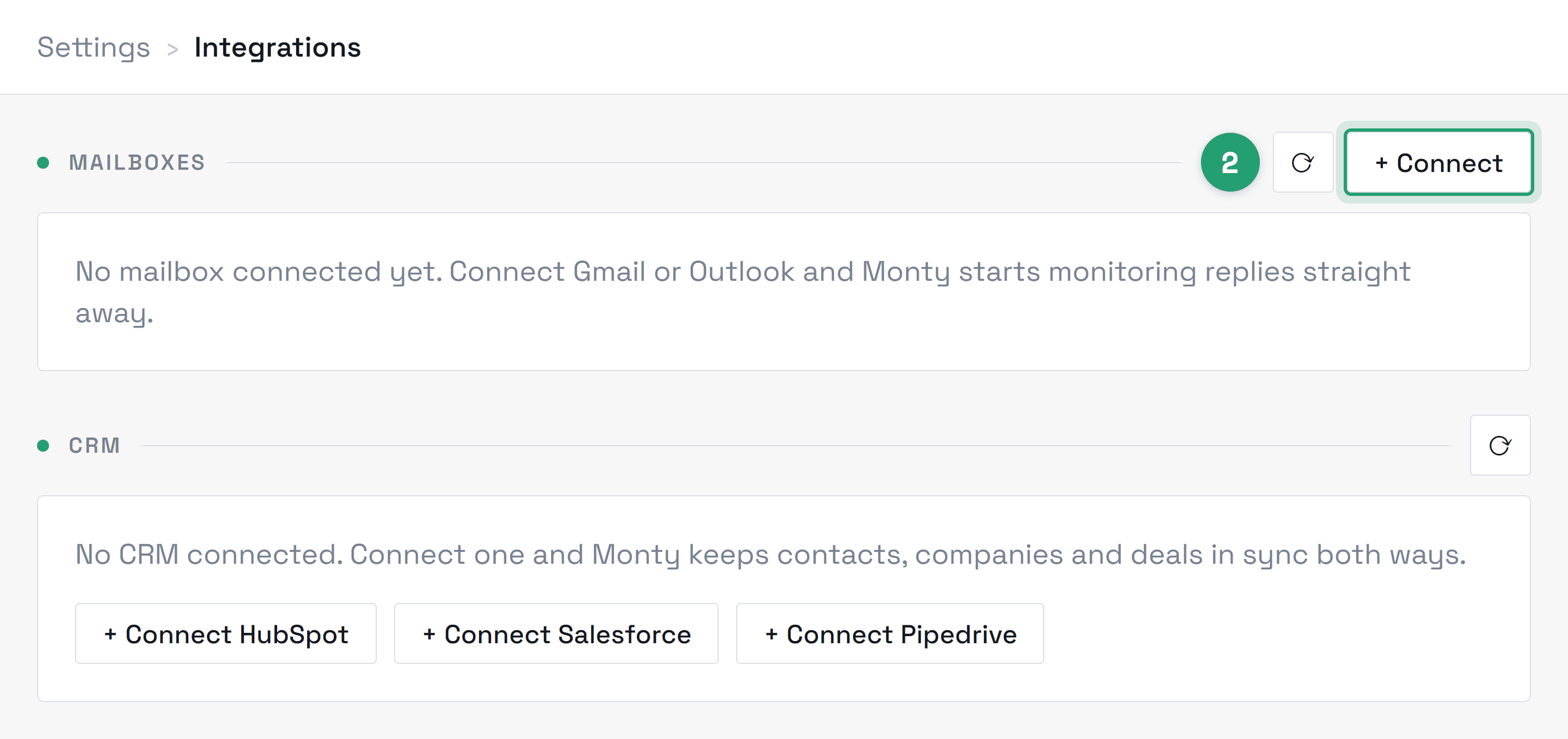
- 2Connect your mailbox from Settings → Integrations → Connect mailbox. It's a standard Google consent screen — no password is ever shared with us.
- 3Watch your Inbox: once your mailbox is linked and we've switched your workspace on, Monty starts drafting replies to incoming leads under “Drafts to approve”. We confirm that with you during onboarding.
From the drafts you edit before approving. When you change a phrase, Monty stores that as a correction and feeds it back into how it writes, so it steers away from the phrasings you keep rewriting. Approving a draft unchanged tells it nothing was wrong — editing is what teaches it. Expect the first drafts to need the heaviest edits while your voice profile calibrates.
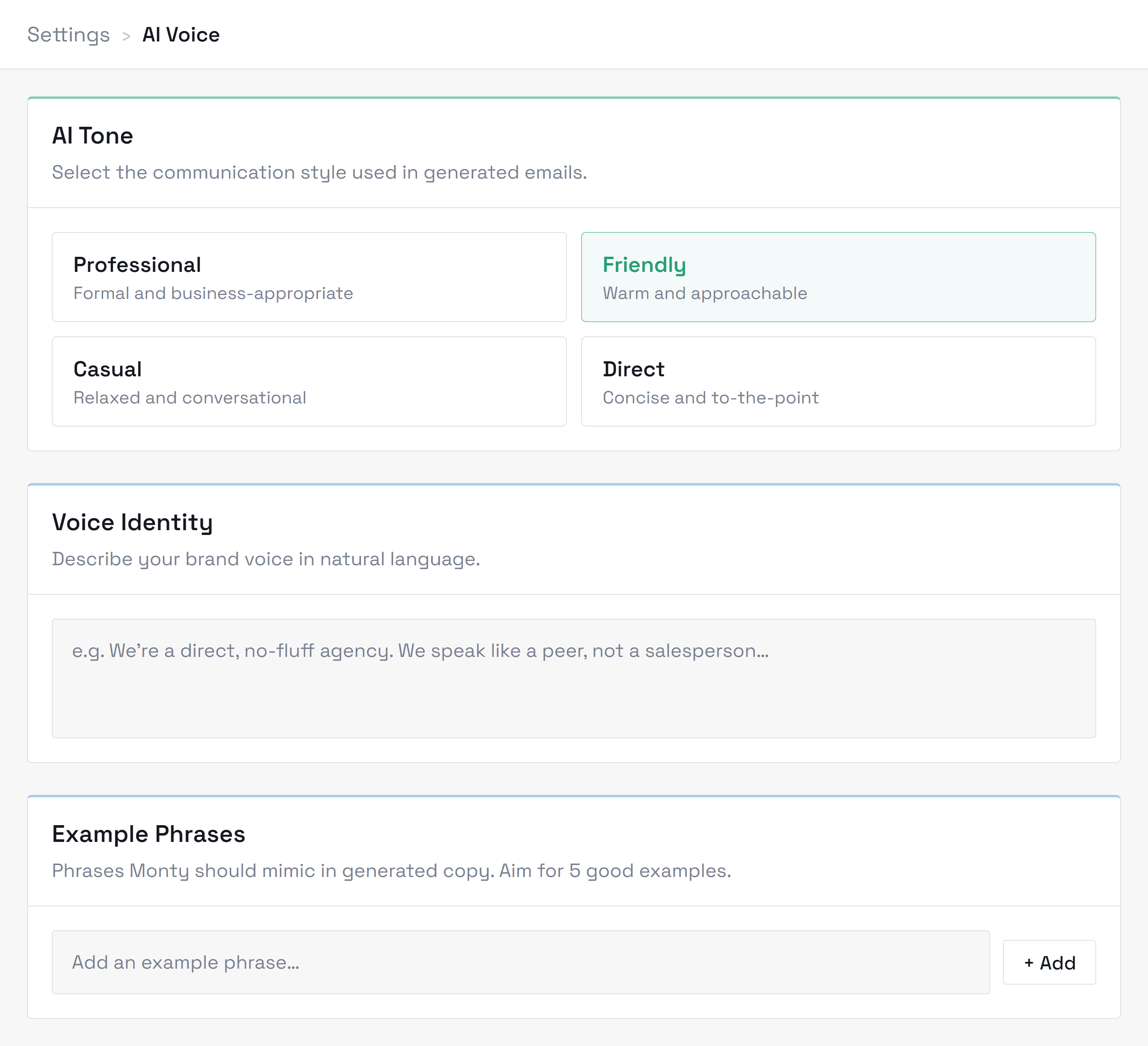
You can recalibrate at any time from Settings → Voice if your style or role changes — stating a preference there is faster than teaching it by edits.
Monty asks about six things: your name and company, your website (it reads the site so you don't repeat what's already written there), what part of handling leads costs you the most time, your main goal, what a great customer looks like, and any hard lines — people to never contact or claims to never make. Rough answers are fine, and everything it learns is shown back to you to confirm before anything is saved. Your name and website stay editable in Settings; your company name is set by your workspace owner. Your ideal customer, qualifying criteria, and never-say list are edited from the “Teach Monty your rules” step in your Setup Guide.
Usually the same day. Once your mailbox is linked and your workspace is switched on, Monty starts watching for new incoming lead emails and drafting replies. Your first drafts land in your Inbox under “Drafts to approve”; expect the first few to need light edits while the voice profile calibrates.
Start from the website: Monty asks about your business, you sign up, and you connect your inbox. Answers come straight from Elliot, the person building Monty, and your feedback genuinely shapes what gets built next. If you would rather set up on a call with him, book one.
No. Monty runs entirely in the browser and connects to your existing mailbox over OAuth — no desktop app, no browser extension, no mail client plugin, and nothing for your IT team to deploy. If you can sign in to your email, you can run Monty.
Didn’t find what you needed?
Contact supportRelated topics
All topicsAccount & billing
Plans, credits, seats, invoices, and managing your workspace.
Integrations
Mailbox connections, permissions, and sign-in issues.
Using Monty
Assisted, Autopilot, follow-ups, and day-to-day workflow.
Security & privacy
How we protect your data, who can see it, and your export and deletion controls.
Troubleshooting
Sign-in, sync issues, drafts, and getting unstuck.